
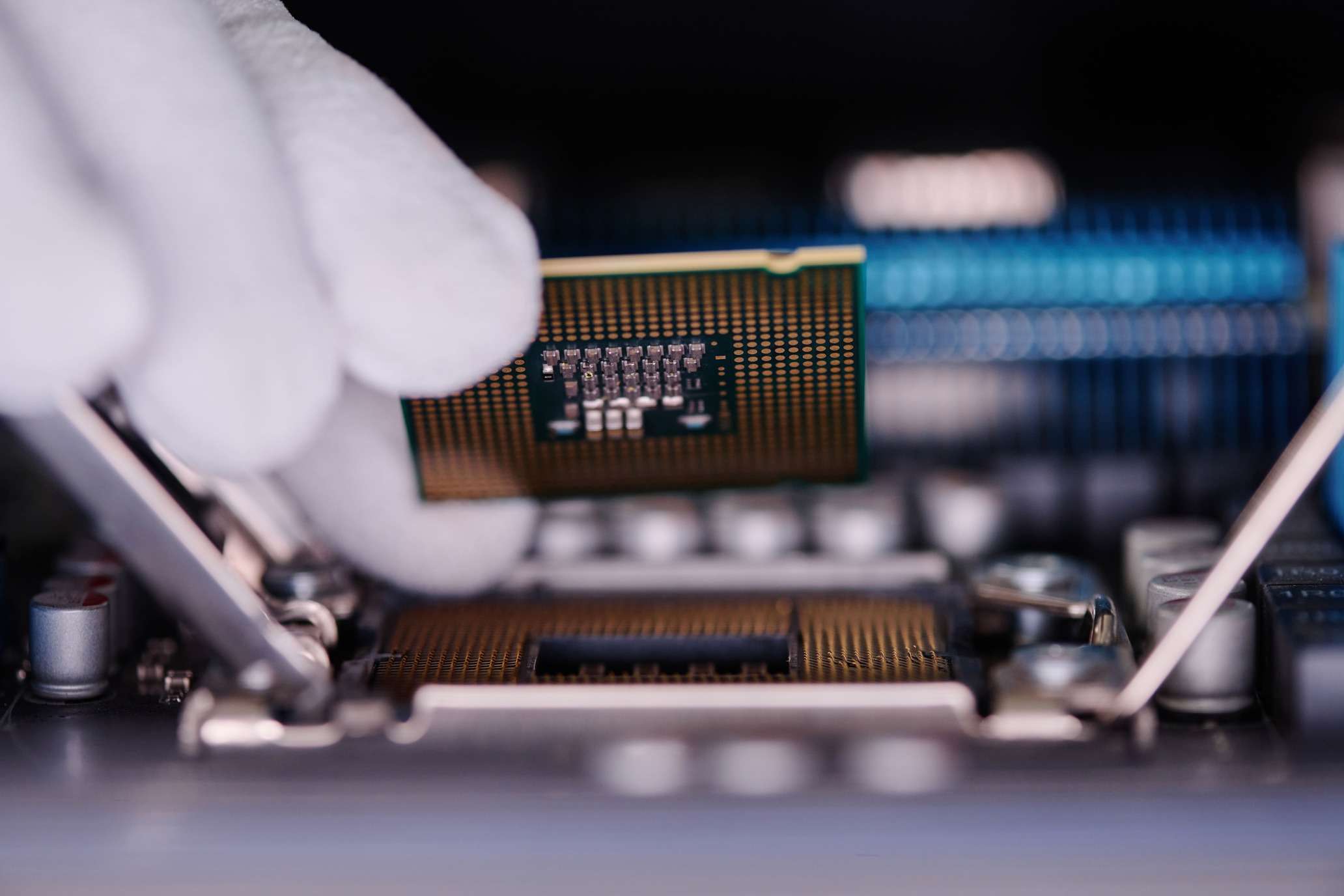
Building your own PC is one of the most rewarding tech projects you can take on. Whether you’re a gamer, content creator, or just want a powerful machine tailored to your needs, assembling a custom PC gives you full control over performance, upgrades, and aesthetics.
In 2025, PC building is easier and more exciting than ever, thanks to cutting-edge components and improved compatibility. This guide will walk you through everything you need to know, from choosing the right parts to assembling your dream setup.
Why Build Your Own PC?
Before diving in, let’s talk about why building your own PC is worth it:
✅ Better Performance – Customize your PC with high-end components suited to your needs.
✅ Cost-Effective – Get more power for your money by selecting parts individually.
✅ Upgradability – Swap out components easily instead of replacing an entire system.
✅ Customization – Choose RGB lighting, cooling solutions, and a case that fits your style.
✅ Learning Experience – Gain a deeper understanding of how computers work.
Step 1: Choosing the Right Components
A PC is like a puzzle—every piece must fit together. Here’s what you need:
🔥 1. Processor (CPU)
The CPU is the brain of your PC, handling all tasks and calculations.
Top Picks for 2025:
- Intel Core i9-14900K – Best for gaming and multitasking.
- AMD Ryzen 9 9950X – Ideal for content creators and heavy workloads.
- Intel Core i5-14600K – A great mid-range option for gaming.
💡 Tip: If gaming is your main focus, prioritize a high-clock-speed CPU. For video editing and 3D rendering, go for more cores and threads.
🎮 2. Graphics Card (GPU)
The GPU is crucial for gaming, video editing, and AI tasks.
Top Picks for 2025:
- NVIDIA RTX 5090 – The ultimate gaming powerhouse.
- AMD Radeon RX 8900 XT – A strong alternative for high-performance graphics.
- Intel Arc Battlemage – A budget-friendly option with solid performance.
💡 Tip: Check benchmarks for your favorite games or software to ensure your GPU meets your needs.
⚡ 3. Motherboard
The motherboard connects all your components. Make sure it supports your chosen CPU and GPU.
Key Features to Look For:
- Socket compatibility (Intel LGA 1700 or AMD AM5)
- PCIe 5.0 support for future-proofing
- Wi-Fi 7 & Bluetooth 5.3 for seamless connectivity
- Plenty of USB and M.2 slots for fast storage
💡 Tip: Stick with reputable brands like ASUS, MSI, or Gigabyte.
🚀 4. Memory (RAM)
RAM affects how many tasks your PC can handle at once.
Recommended RAM for 2025:
- 16GB DDR5 – Minimum for gaming.
- 32GB DDR5 – Ideal for streaming, editing, and heavy multitasking.
- 64GB+ DDR5 – Best for professionals working with 3D modeling or AI.
💡 Tip: Go for RAM with low latency (CL) and high speeds (6000MHz+ for DDR5).
🔥 5. Storage (SSD & HDD)
Fast storage reduces loading times and improves system performance.
Best Options:
- NVMe SSD (1TB–2TB) – Lightning-fast speeds for OS and games.
- SATA SSD (2TB–4TB) – Great for additional storage.
- HDD (4TB–8TB) – Best for massive file storage at a lower cost.
💡 Tip: Get an NVMe Gen 5 SSD for insane speeds if your motherboard supports it.
❄️ 6. Power Supply (PSU)
A reliable PSU ensures stable power delivery to all components.
Wattage Recommendations:
- 650W – Entry-level builds.
- 750W–850W – Mid-range gaming PCs.
- 1000W+ – High-end systems with power-hungry GPUs.
💡 Tip: Choose a fully modular PSU for easier cable management. Look for 80 PLUS Gold or Platinum efficiency ratings.
🎨 7. Case & Cooling
Your case determines airflow and aesthetics.
Key Features to Consider:
- Size: ATX (standard), Micro-ATX (compact), Mini-ITX (smallest).
- Airflow: Mesh front panels improve cooling.
- Cooling: Use AIO liquid coolers for CPUs or high-performance air coolers.
💡 Tip: RGB lighting is optional but adds a nice touch if you want a stylish build.
Step 2: Assembling Your PC
🛠️ Tools Needed: A Phillips screwdriver, anti-static wrist strap (optional), and patience!
1. Install the CPU & RAM
- Open the CPU socket, align the CPU (match the gold triangle), and secure it.
- Insert RAM sticks into the correct DIMM slots (check the manual).
2. Mount the Motherboard
- Place standoffs inside the case and screw in the motherboard securely.
3. Install the Power Supply & Storage
- Slide in the PSU and connect the necessary cables.
- Mount NVMe SSDs directly onto the motherboard and HDDs into their slots.
4. Attach the GPU
- Insert the GPU into the PCIe slot and secure it with screws.
- Connect power cables from the PSU to the GPU.
5. Cable Management & Final Check
- Route cables neatly to improve airflow.
- Double-check all connections.
Step 3: Powering On & Installing Software
🔌 Moment of Truth: Press the power button—your PC should light up! If not, check your connections.
BIOS Setup:
- Enter BIOS (press Delete or F2 on startup).
- Enable XMP/EXPO for RAM to run at full speed.
- Check that all components are detected.
Install Your Operating System (OS):
- Use a USB drive to install Windows 11 or Linux.
- Install GPU drivers, motherboard utilities, and essential apps.
Step 4: Optimizing Performance
🔥 Final Tweaks for the Best Experience:
✅ Monitor Temps – Use software like HWMonitor to track CPU & GPU temperatures.
✅ Overclock (Optional) – Adjust CPU/GPU settings in BIOS for extra performance.
✅ Keep Drivers Updated – Use tools like NVIDIA GeForce Experience or AMD Adrenalin.
Final Thoughts: Your Dream PC Awaits!
Building a PC in 2025 is an exciting journey that gives you full control over performance, design, and future upgrades. Whether you’re aiming for a high-end gaming rig or a budget-friendly workstation, following this guide will help you create a powerful and efficient machine.